Quidget · 2023 — 2025
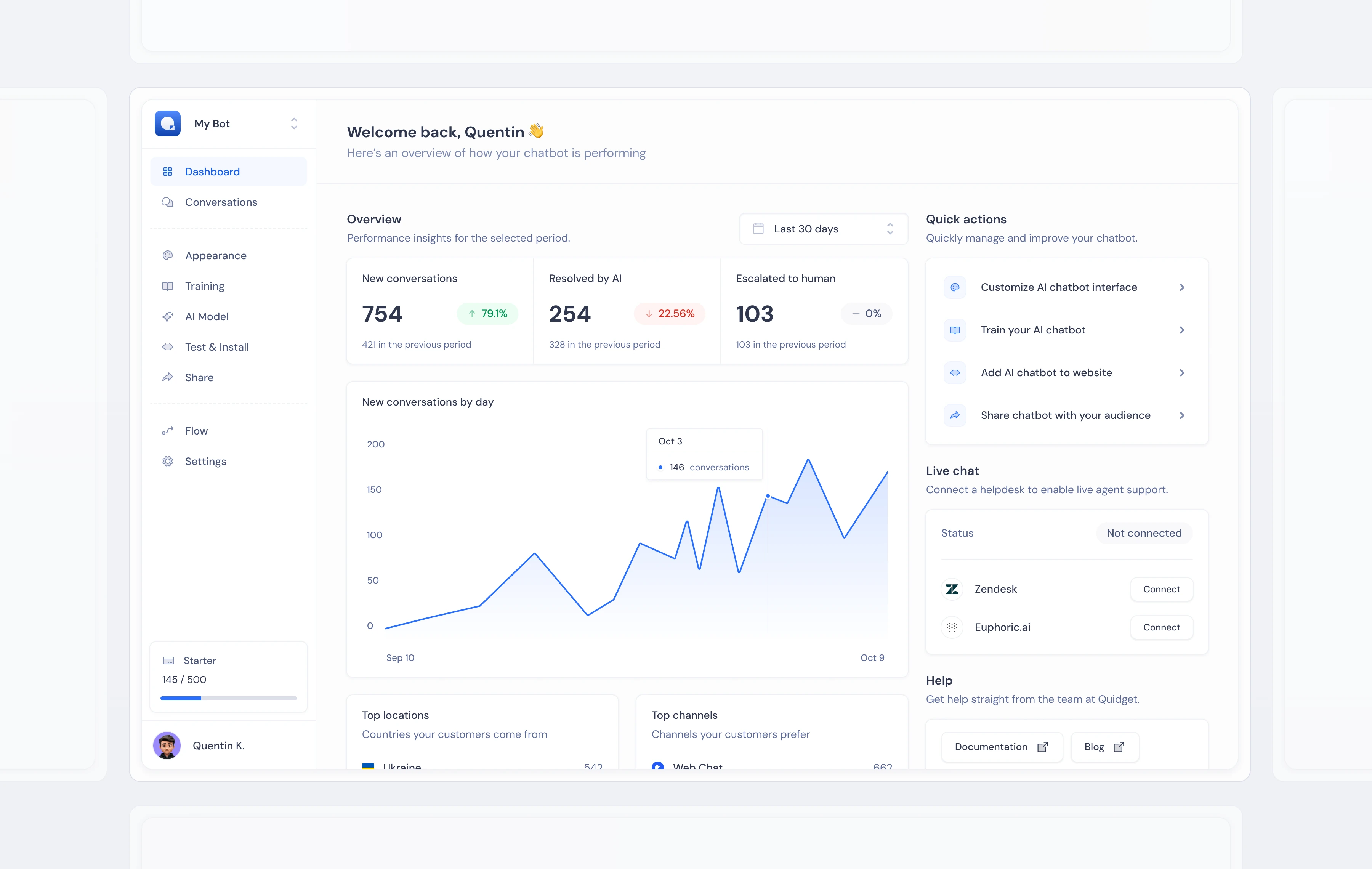
Designing the complete Quidget product — dashboard, AI configuration, testing, and channel management — as a system that makes running an AI agent feel like less work than it actually is.
When you’re building a B2B SaaS product from scratch, there’s nothing to iterate on. No existing patterns, no inherited navigation, no legacy decisions to work around. Every screen needs to be designed — and they all need to feel like they came from the same place.
The harder constraint is that a powerful product can’t pretend to be simple. A serious AI chatbot platform has to let users configure model behavior, manage knowledge sources, customize branding, test responses, and deploy to multiple channels. The design problem is keeping all of that from slowing people down.
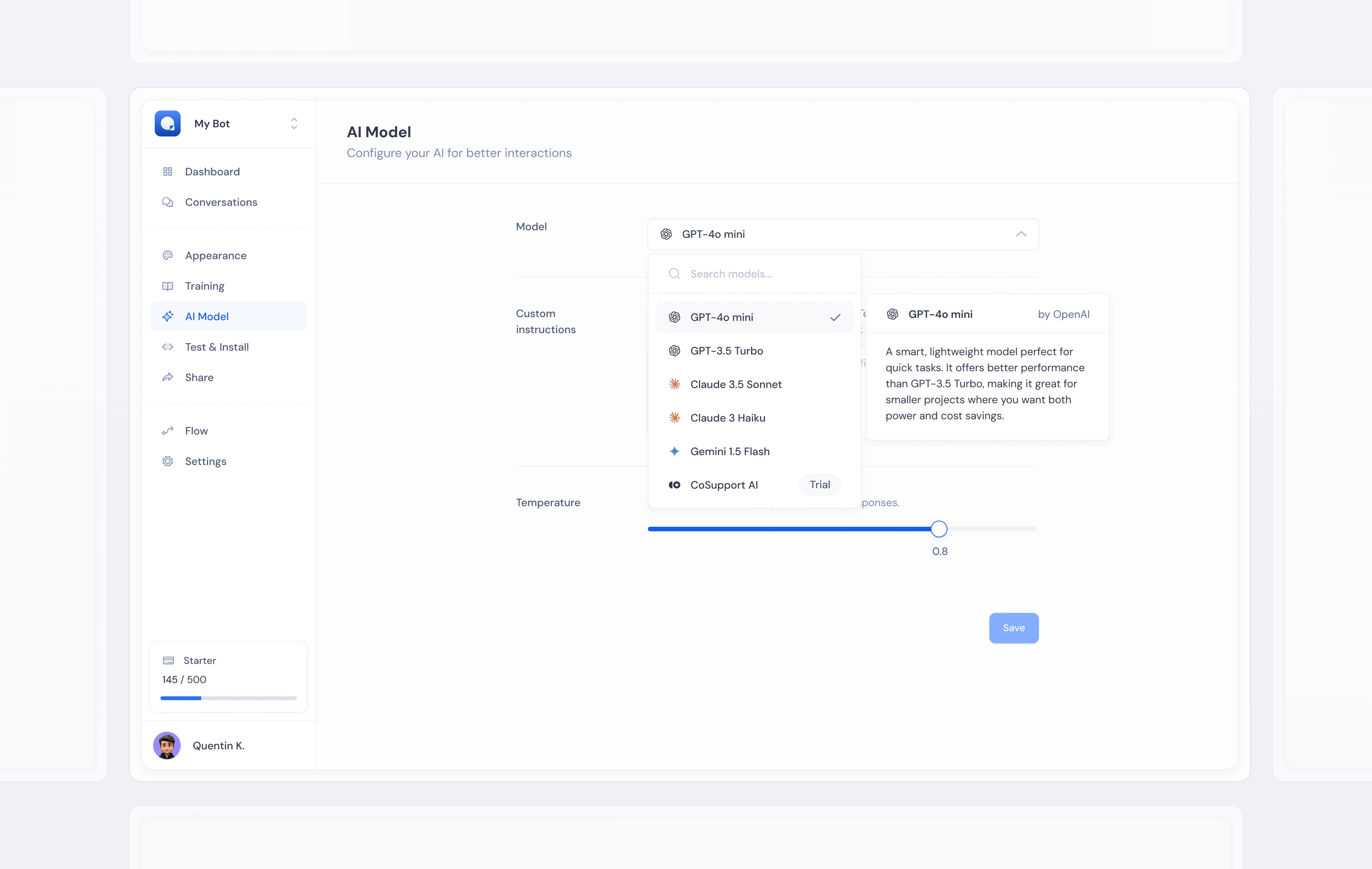
AI Model — selecting knowledge sources, training data, and conversation behavior in one unified view.
I started with components, not screens. A shared library of inputs, cards, toggles, status indicators, and data displays came first — then those got assembled into interfaces. That order matters. Designing screens first produces inconsistency; designing the system first produces something that can grow.
The navigation followed the user’s actual workflow: set up your AI → train it → customize it → test it → deploy it. Someone arriving at any screen for the first time could orient themselves, because the structure came from how people work, not from how the codebase was organized.
That foundation also meant two years of new features landed without breaking what was already there. The team shipped faster because the building blocks were already in place.
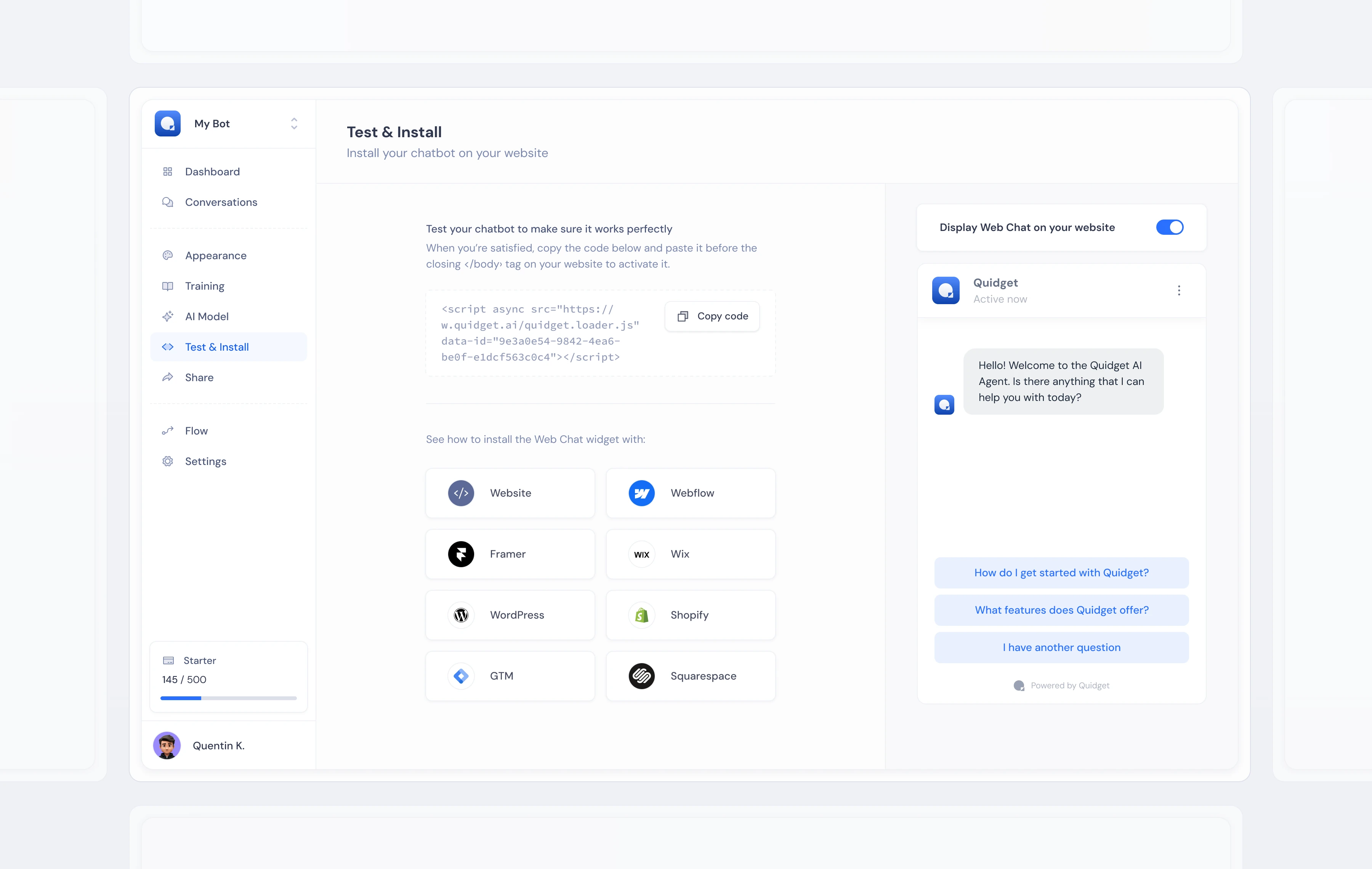
Test & Install — live preview of the configured widget alongside the deployment snippet, reducing the gap between “done” and “live”.
Progressive disclosure is where most complex products go wrong. Show too much and users feel lost. Hide too much and the power users start working around you. There’s no formula — just a series of judgment calls about what different people need at different moments.
The answer I landed on: consistent hierarchy. Primary actions always visible. Secondary configuration behind tabs or expandable sections. Advanced settings a deliberate interaction away. Users who wanted to move fast could. Users who needed control found it without hunting.
The other constraint was context diversity. A law firm and a coffee shop both use the same product — different content, different branding, different expectations entirely. The interface had to work for both without feeling built for neither.
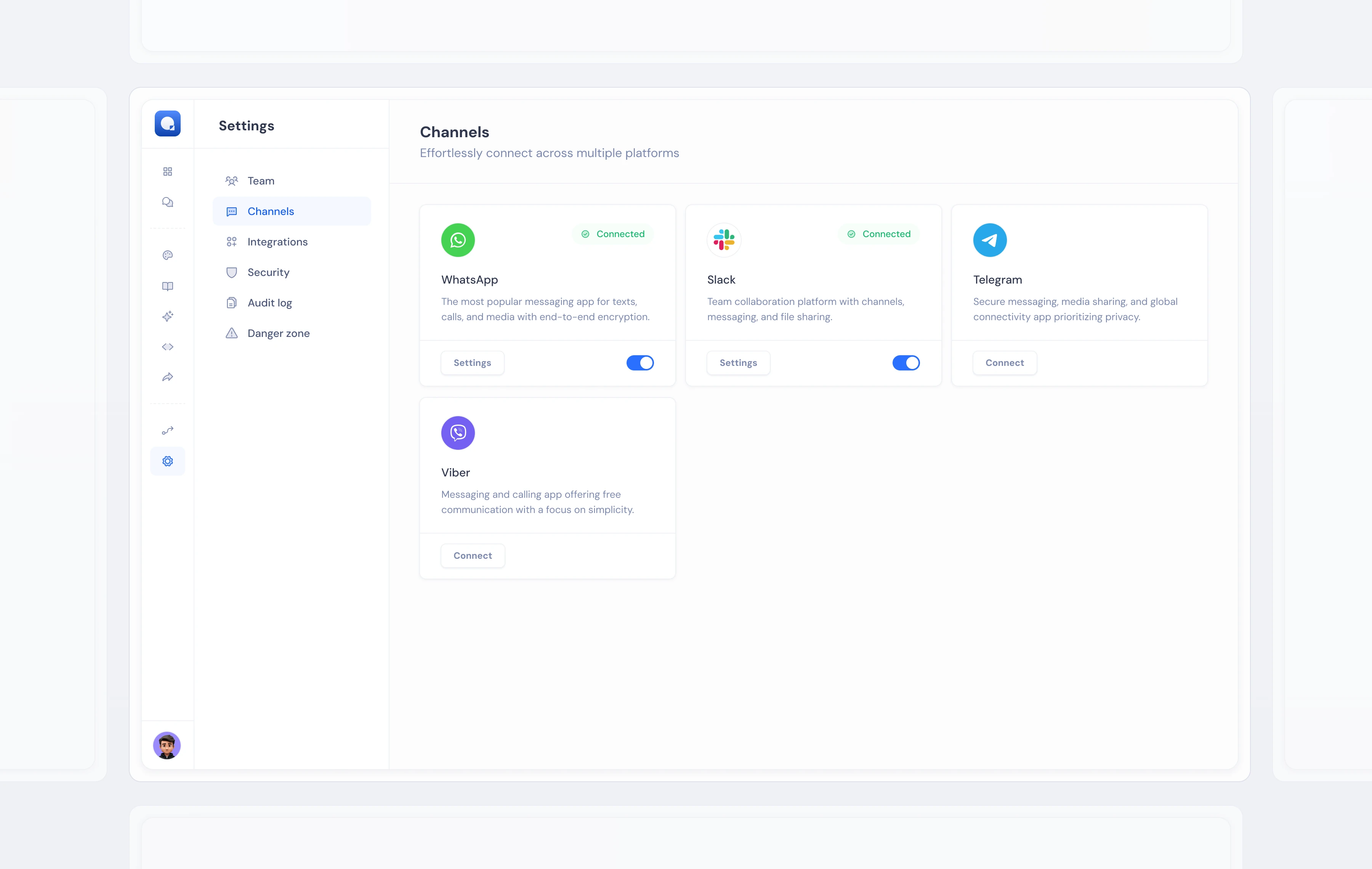
Channels — connecting the AI agent to web chat, email, WhatsApp, and other surfaces from a single management view.
The widget was the most visible output of the platform — the thing that lived on customers’ websites and talked to their users. Designing it was a different kind of problem: making a third-party component feel like it belonged on whatever site it sat on.
Most chat widgets look like widgets. They break the page, signal “outsourced,” cost trust. I designed Web Chat as a design system where every visual property was a variable: colors, fonts, corner radius, avatar. The widget pulled brand identity from the agent setup flow automatically, so most customers never had to think about how it looked.
The edge cases were harder. A logo that reads clearly on white disappears on dark. An accent color chosen for a fintech company creates contrast problems on a children’s education site. I built in automatic light/dark switching based on background luminosity and capped saturation for accessibility — the system made those calls so the business owner didn’t have to know what luminosity meant.
When it works, users can’t tell the widget is third-party. That was the target.
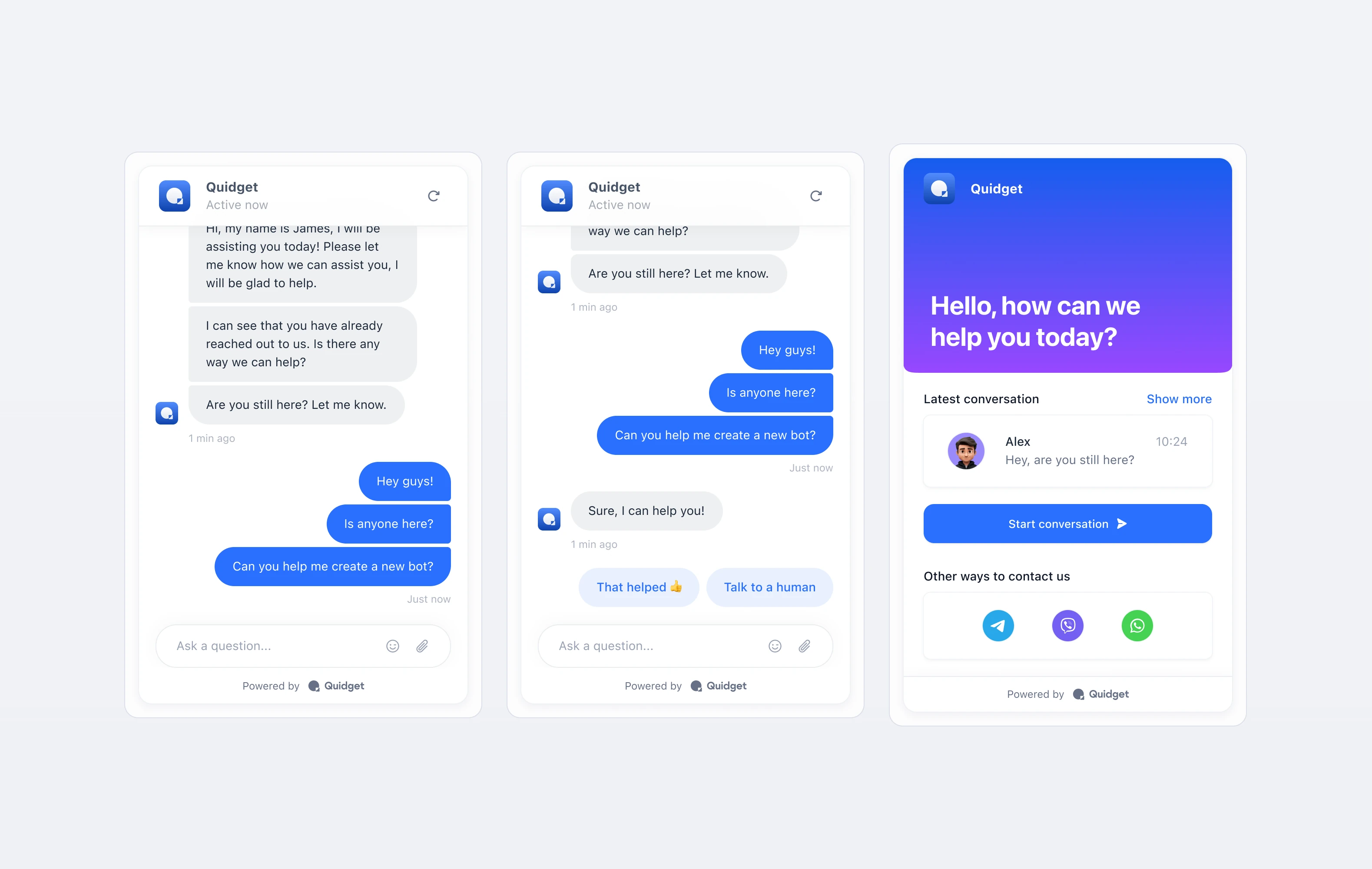
Web Chat — the end product. Fully customisable per brand, embedded across hundreds of websites.
I also designed the marketing website, built on the same component system as the product. The visual language stayed consistent from the first page a visitor saw to the dashboard they logged into every day.
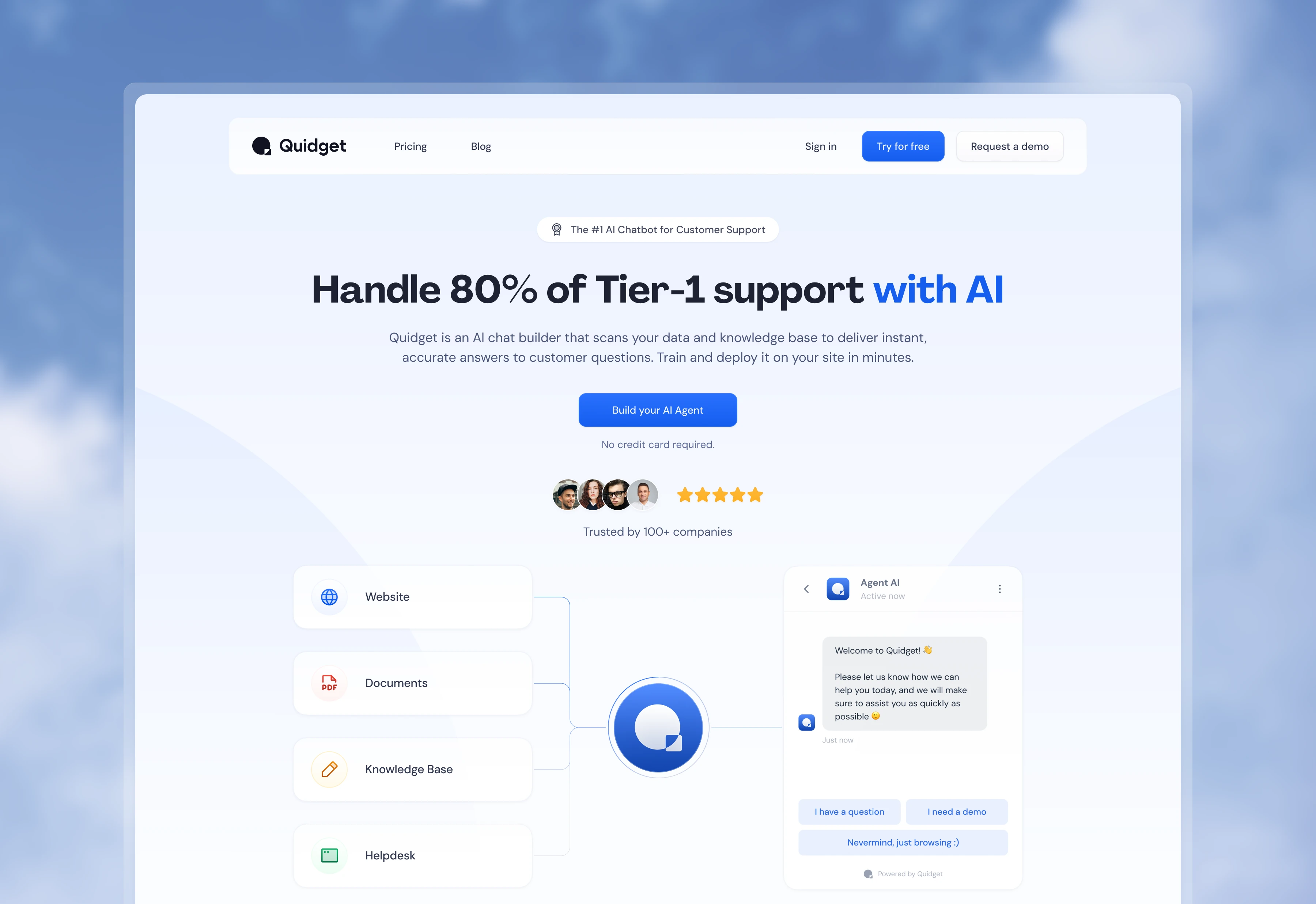
Quidget launched and scaled to hundreds of businesses running the widget on their sites. Two years of new features landed without a structural rebuild — new surfaces came together faster because the building blocks were already there.
One visual system ran through every surface a user touched: the marketing site, onboarding, the dashboard, and the widget their own customers talked to. When the design does its job at that scale, nobody notices it. That’s the point.
Work created for SupportYourApp, Inc. All rights reserved by SupportYourApp, Inc. Shared here for portfolio purposes.